

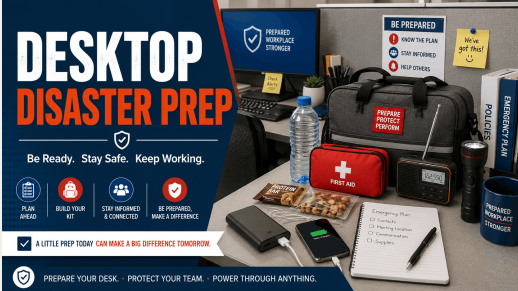
A power outage, severe storm or other emergency can hit without warning. If you work at a desk, whether at home or in an office, a few simple steps now can save you time and stress later. Here is how to get your workstation ready before trouble strikes.
Back Up Your Files
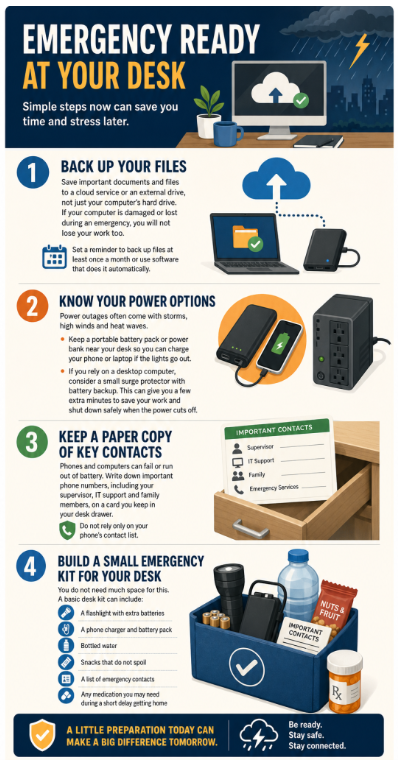
Start with your data. Save important documents and files to a cloud service or an external drive, not just your computer’s hard drive. If your computer is damaged or lost during an emergency, you will not lose your work too. Set a reminder to back up files at least once a month or use software that does it automatically.
Know Your Power Options
Power outages often come with storms, high winds and heat waves. Keep a portable battery pack or power bank near your desk so you can charge your phone or laptop if the lights go out. If you rely on a desktop computer, consider a small surge protector with battery backup. This can give you a few extra minutes to save your work and shut down safely when the power cuts off.
Keep a Paper Copy of Key Contacts
Phones and computers can fail or run out of battery. Write down important phone numbers, including your supervisor, IT support and family members, on a card you keep in your desk drawer. Do not rely only on your phone’s contact list.
Build a Small Emergency Kit for Your Desk
You do not need much space for this. A basic desk kit can include:
- A flashlight with extra batteries
- A phone charger and battery pack
- Bottled water
- Snacks that do not spoil
- A list of emergency contacts
- Any medication you may need during a short delay getting home
Learn more about putting together your emergency kit.
Plan for Working from Home
If your job allows remote work, make sure you can work from home with limited setup time. Keep a copy of key files, login information and any equipment you might need, such as a headset or extra cables, ready to go. Test your home internet and equipment now, not during an emergency.
Know When to Stop Working and Get Safe
No backup plan matters more than your safety. If severe weather hits, or if county officials issue a warning, stop working and follow safety guidance right away. Move away from windows during high winds, get to a safe location during a tornado warning, and never drive through flooded roads.
Taking a little time now to prepare your workstation can make a big difference when an emergency happens. For more safety tips and updates, sign up for Fairfax Alerts at www.fairfaxcounty.gov/alerts.