

Circuit Court Alert:
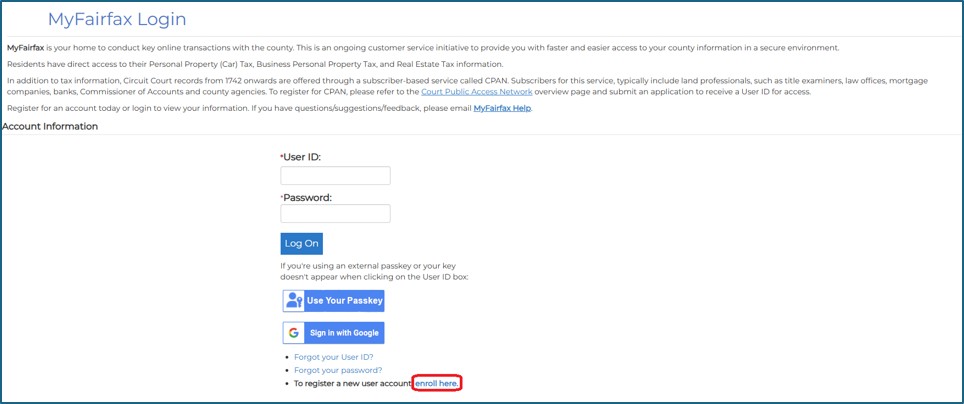
Go to the MyFairfax Login page and click on the ‘enroll here’ link.
Complete all registration fields, check the ‘I’m not a robot’, and click Submit Registration.
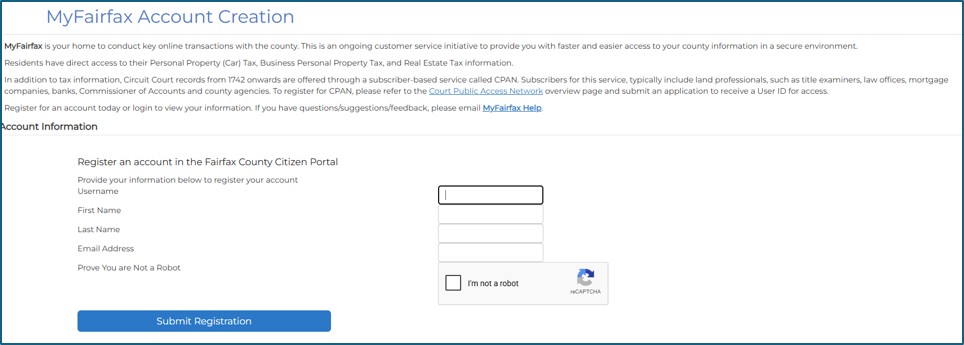
*Please make note of the Username/User ID you create. The registered email should be an email you can access during the registration process.
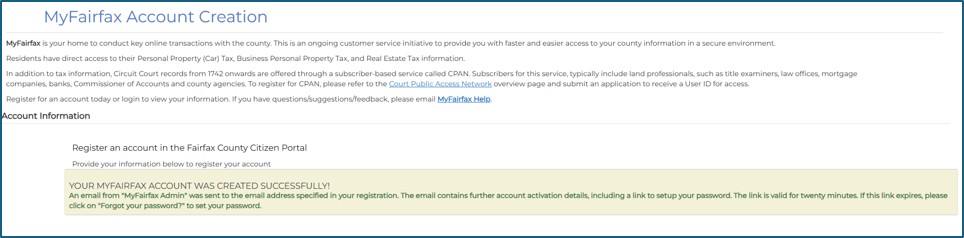
After you click Submit Registration and your account is created, an email will be sent to the email you registered. Click on the link in your email to finish setting up your account.
Example of Account Creation Success Page:
Example of Email Confirmation:
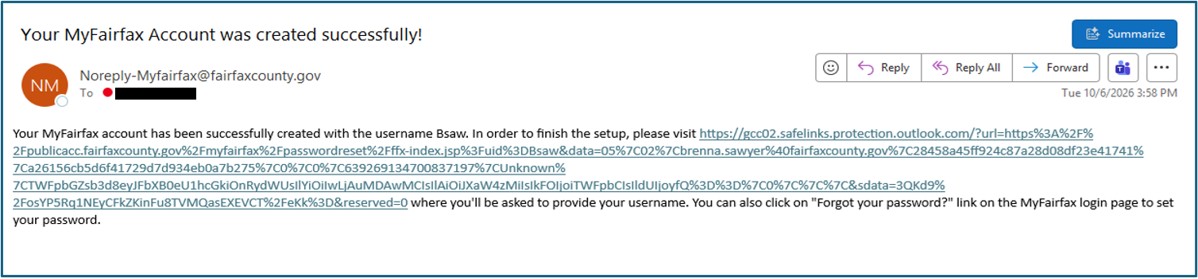
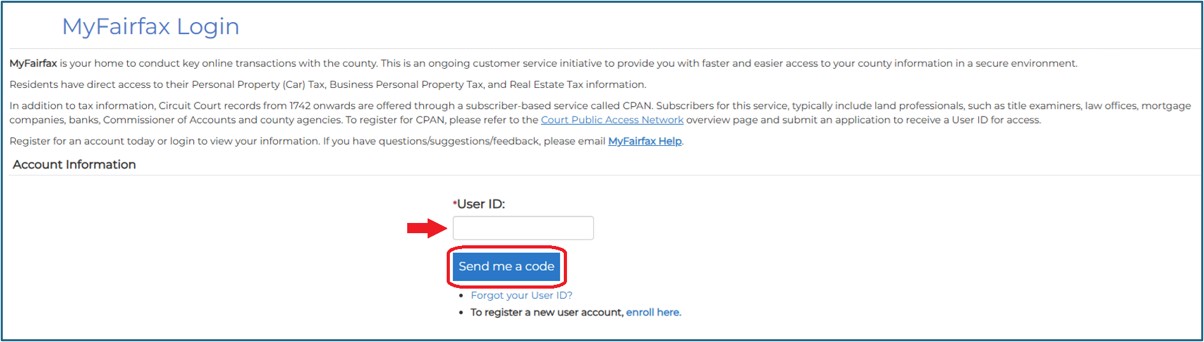
Click on the link in your email, enter the User ID you registered and click on ‘Send me a code’. A code will be sent to your registered email.
Example of Email with 6-digit code:

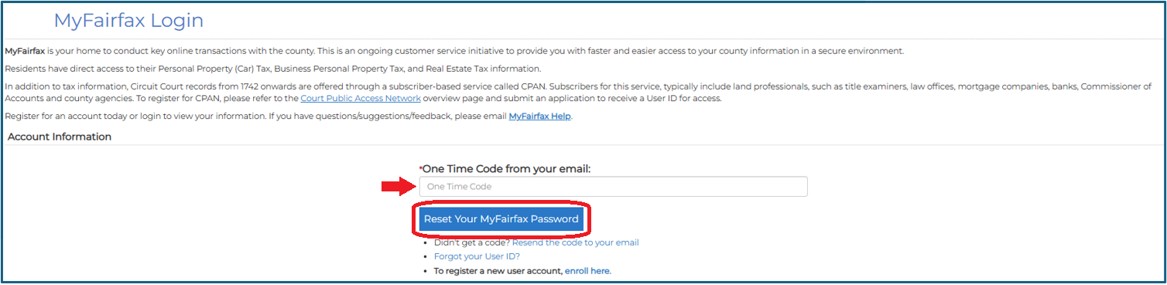
Copy/paste the code sent to your registered email, then click ‘Reset Your MyFairfax Password’.
On the next screen, you will be asked to set your password.
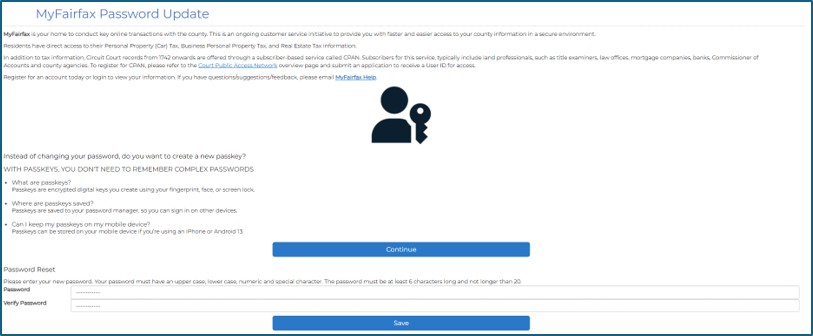
*Make note of the password you create. Alternatively, you can create a Passkey for logging into MyFairfax.
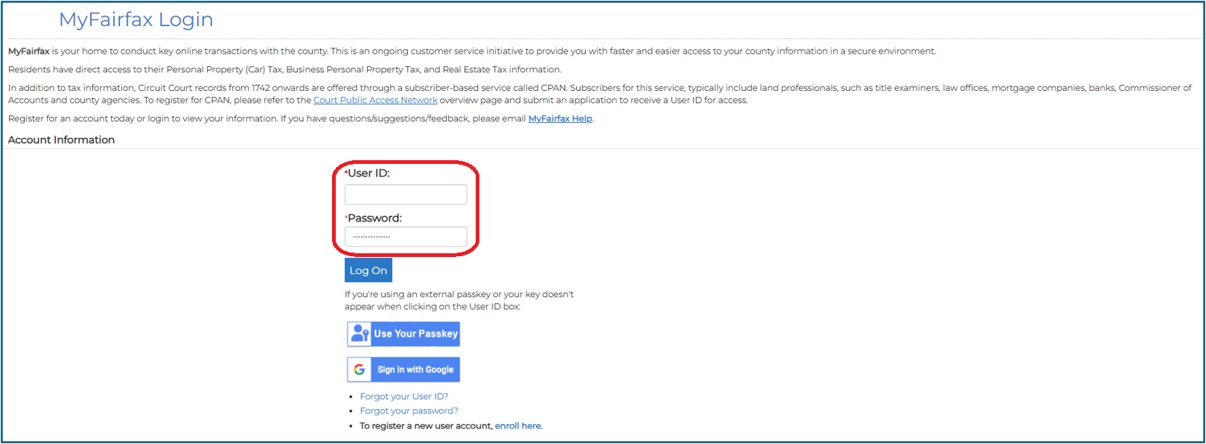
Go to the MyFairfax Login page and log in using the user ID and password you set up.
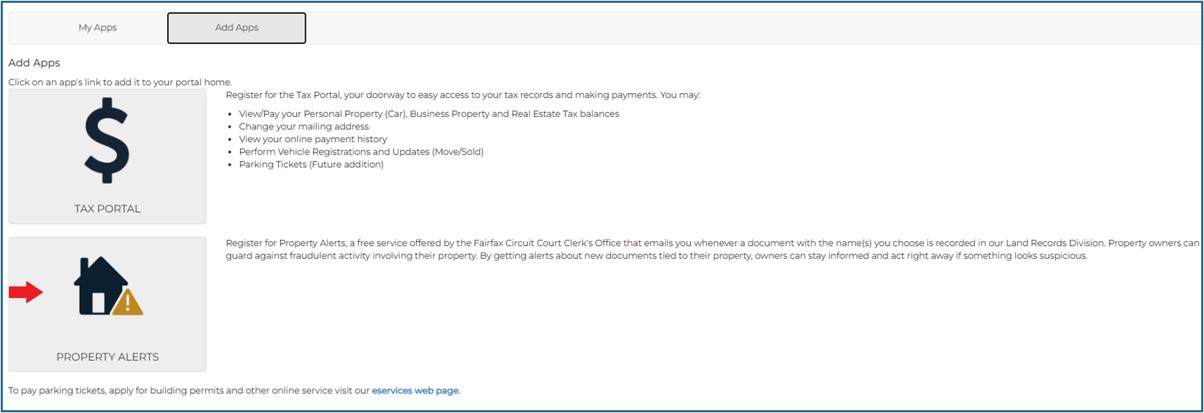
Under the ‘Add Apps’ section, click on the Property Alerts icon.
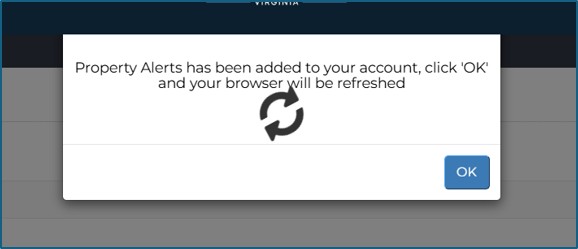
Click ‘OK’
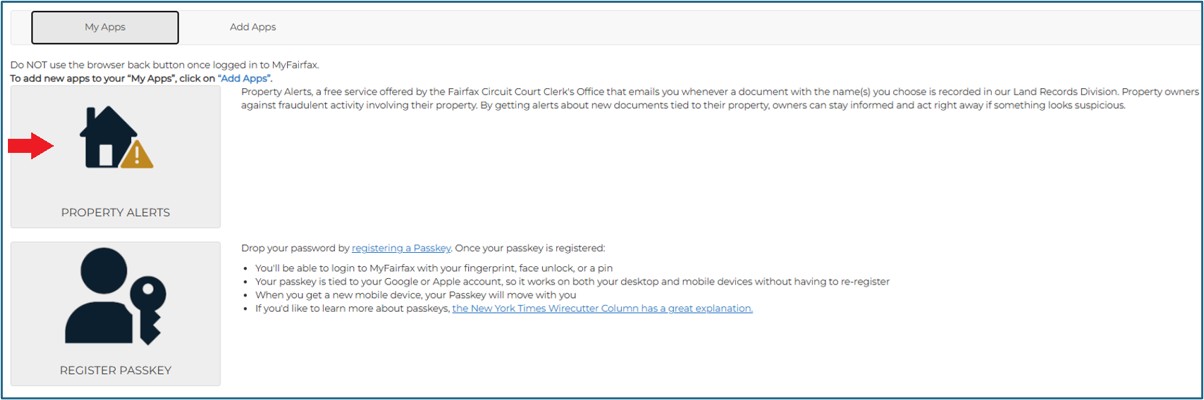
In your MyFairfax account, click on ‘Property Alerts’.
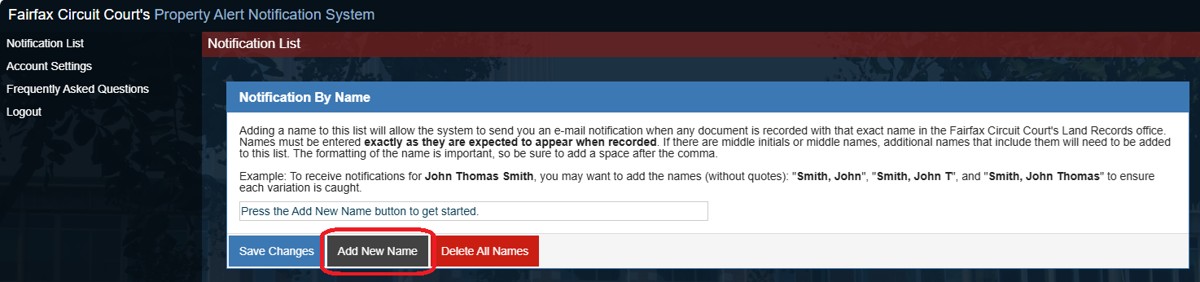
Read instructions on screen. You must click on ‘Add New Name’ to enter names for the alert. Names must be entered ‘Last, First Middle’ and in variations described in the instructions.
Once the name is entered, click ‘Update’ and then ‘Save Changes’. If a name does not stick, it is probably because you forgot to click ‘Save Changes’
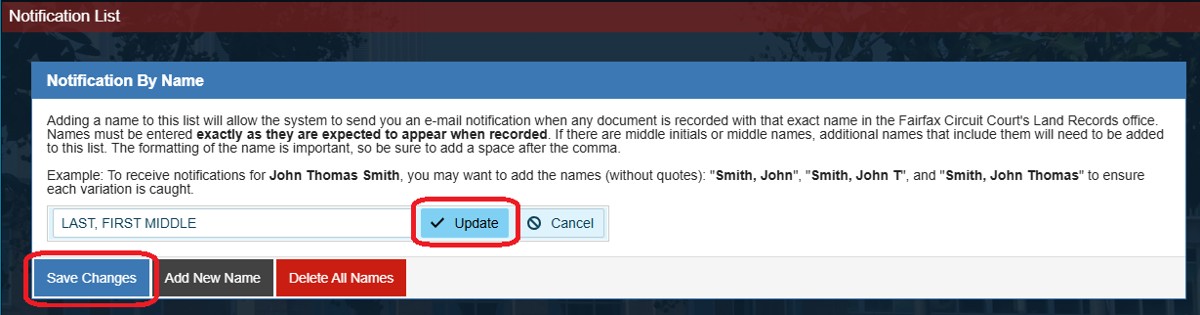
You can enter as many names as needed. After clicking ‘Save Changes’, you will receive a pop-up confirmation message, click ‘OK’.

To view the list, click ‘Notification List’ on the left-side menu. Users can ‘cancel’ their property alerts by clicking ‘Delete All Names’ from the Notification List.
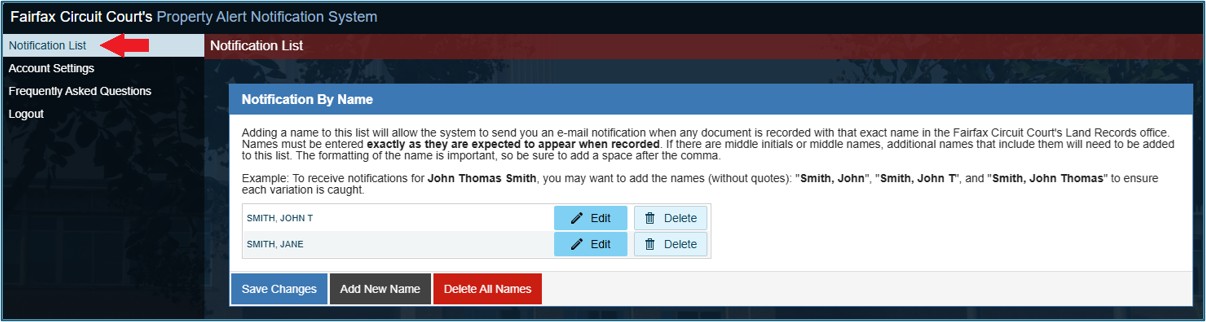
Your Property Alert registration is complete! You can either close the window or log out.
Please note: If a user updates their email address in Property Alert, it will not update in MyFairfax. Currently, users cannot update their information in MyFairfax.